markup| Open on Web

The Markdown Workspace For High-Context Teams

Markup combines keyboard-first writing, live markdown preview, graph view, whiteboards, and mind maps so every note stays connected and actionable.

Markup app interface preview

How It Works

Works everywhere

Write once, stay in flow.

Markup syncs your workspace and tabs per user with Convex while staying offline-aware, so your notes are consistent across web and desktop.

Custom workflow

Switch context without losing structure.

Move between writing, visual mapping, and backlink exploration instantly while keeping everything tied to the same source notes.

Share in one click

Send polished notes, keep your workspace private.

Publish read-only links in public or private mode so teammates can consume updates without touching your internal editing flow.

Markup

Build your second brain in markdown.

Download Markup for your platform and jump right into your keyboard-first markdown workspace.

markup| Open on Web

Mobile View

Markup for fast notes on smaller screens.

Write, organize, and share markdown notes with the same connected workspace experience, tuned for one-hand reading and quick edits.
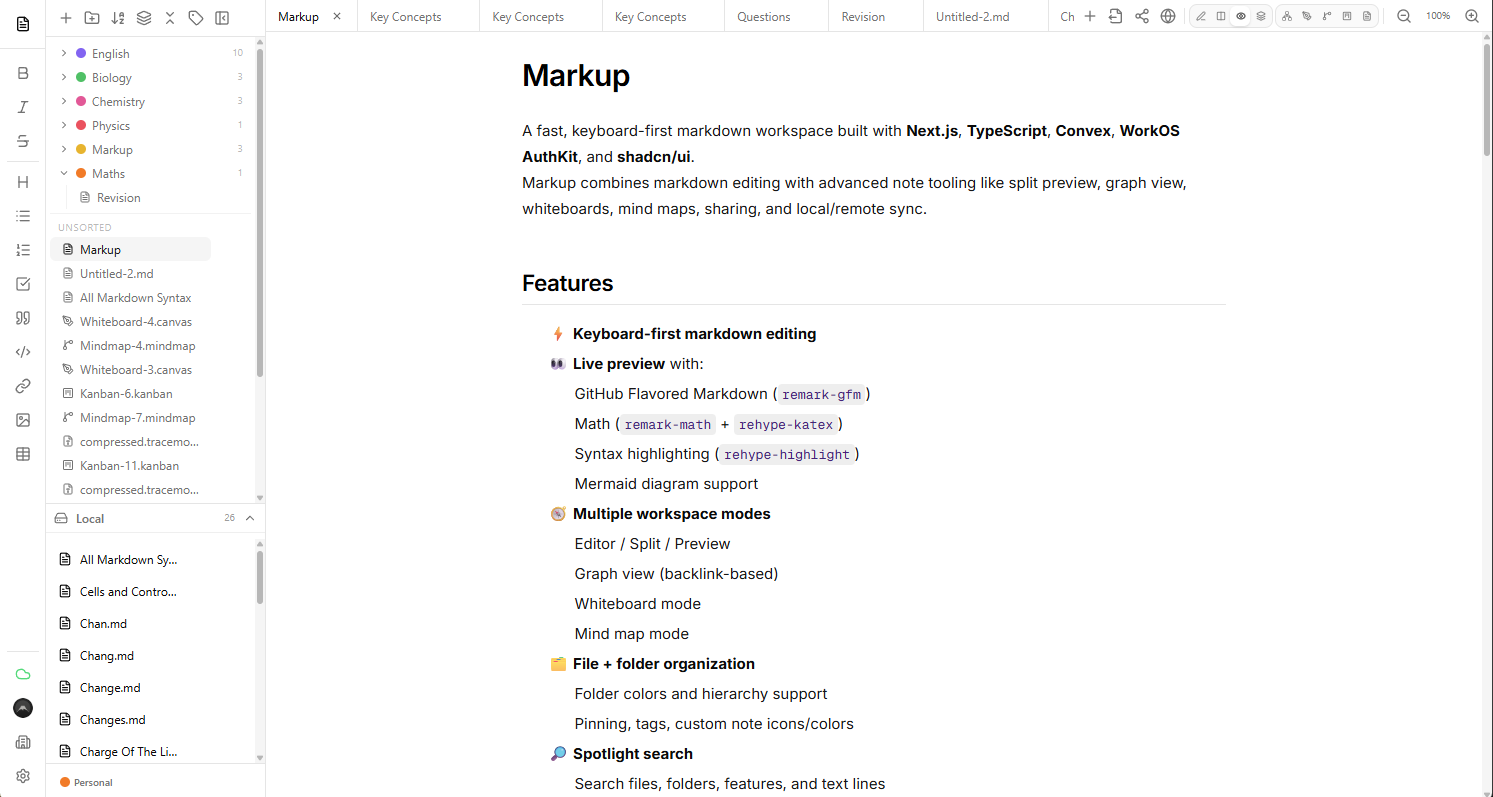
Markup app interface preview

Flow

Write and preview side by side.

Markdown editing, instant preview, and structured note links stay in sync as you type.

Graph

Map connected ideas quickly.

Jump through backlinks, whiteboards, and mind maps without losing the note you started from.

Share

Publish safely in one tap.

Create read-only links for public updates or private teammate access with your source untouched.

Markup

Bring your workspace anywhere.

Install Markup and keep your markdown workflow in your pocket.

Open Markup PWA